Resources Omnichannel
Drive awareness outcomes with omnichannel activation
Recruiting fraud is a growing issue for many companies.
The Trade Desk takes this issue seriously and is taking steps to address it.
Our platform
Share:
Traders rely on The Trade Desk platform’s UI tables to monitor performance, triage issues, and stay on top of daily optimizations. The latest Kokai update makes those workflows even smoother by allowing you to adjust key campaign fields directly within your campaign’s table views. With in-line edits, you can update settings faster and spend more time on strategy.
You can now edit budget settings and field names directly within tables. In-line editing can help you streamline workflows, reducing the number of steps required to adjust active campaigns.
The following fields representing “grains” now support in-line edits:
Current flight budget
Daily spend caps
Base bid
Max bid
Campaign name
Ad group name
Start date
End date
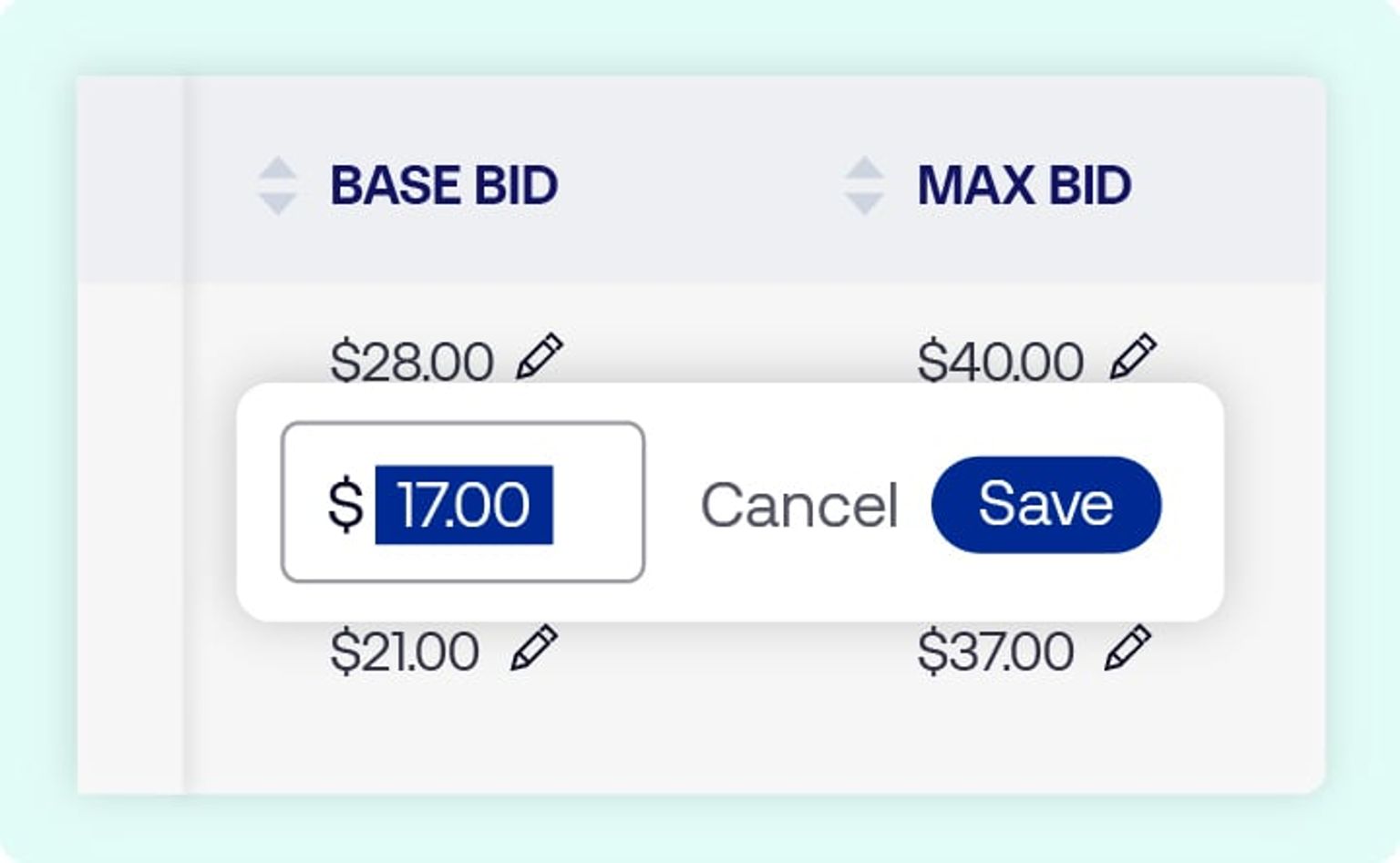
Simply look for the pencil icon, which appears only when a field is eligible for editing. You can also customize your column view to add any of these editable grains.
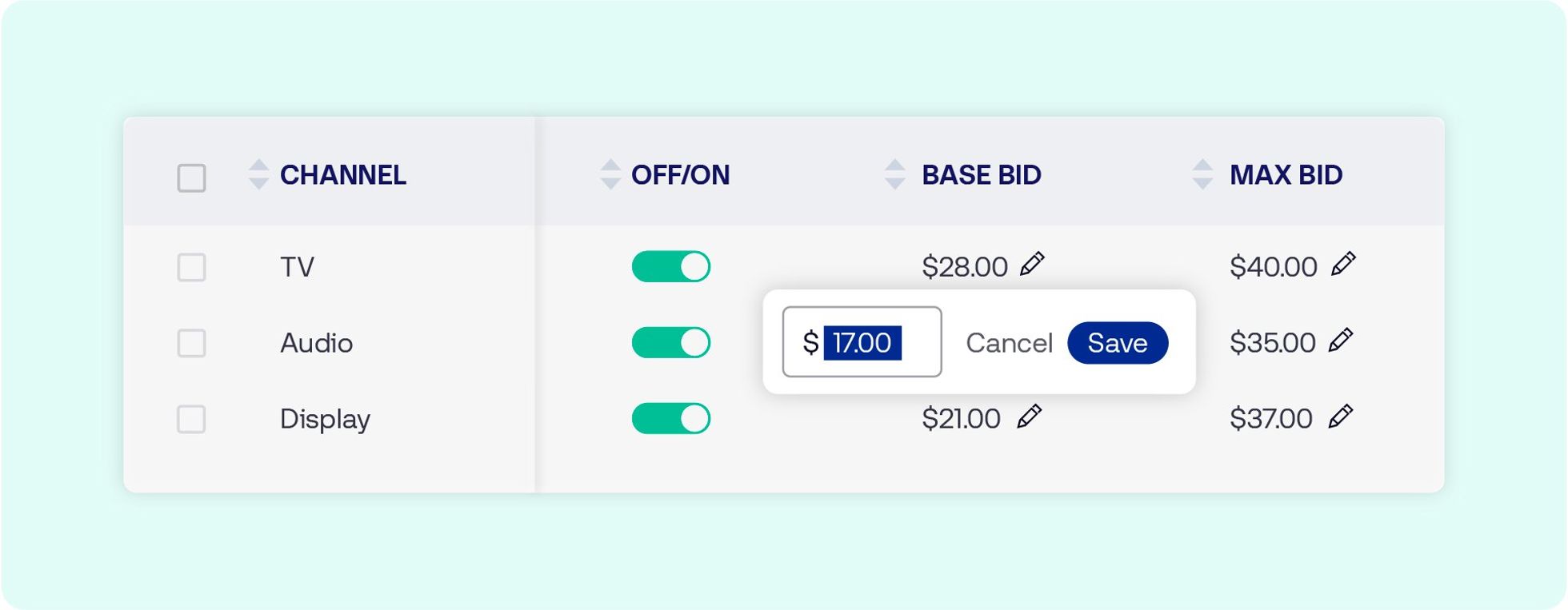
You can begin using in-line edits now in several places on the platform. Navigate to any of the following:
Partner overview → “All campaigns” table
Advertiser overview → “All campaigns” or “All ad groups” table
Campaign overview → “Ad group summary” table
Editable fields will display a pencil icon. Make your changes directly within the table, then save or cancel with one click.
Additional capabilities, including impression budget editing and next-flight-date adjustments, are coming soon.
This information is provided solely for background and is not a representation or guarantee of any future performance.
Resources Omnichannel
Resources Our platform
Resources Artificial Intelligence