Profile Information Request
A Profile Information Request to join from The Trade Desk to you, the supplier.
Recruiting fraud is a growing issue for many companies.
The Trade Desk takes this issue seriously and is taking steps to address it.
GLOBAL SUPPLIER RESOURCES
The Trade Desk uses the Coupa Supplier Portal (CSP) to collect and manage supplier information. This guide provides instructions for creating your account. While joining the CSP is optional, using the CSP helps avoid duplicate form submissions if there are discrepancies or if The Trade Desk needs more information to process your payments.

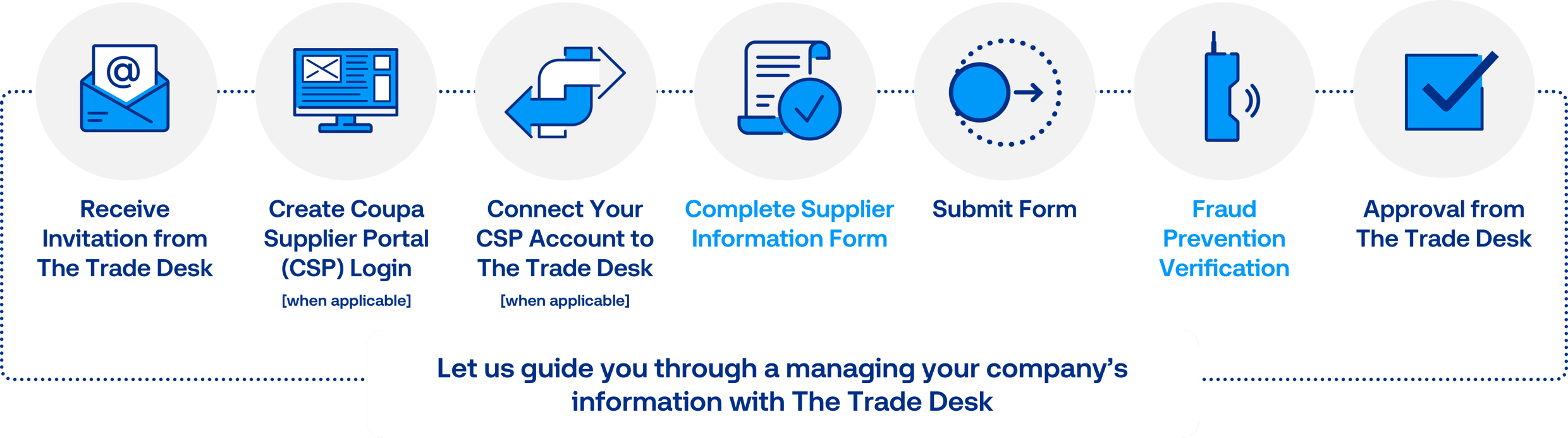
The Trade Desk will invite you to the Coupa Supplier Portal (CSP) to complete the supplier onboarding form or to update your information.
If you currently use the CSP, please ensure the email you received the information request invitation is the same email connected to your account.
Please reach out to the buyer or accounts payable to receive an invitation. Invitations to the CSP to complete the onboarding form or information request expire after 30 days.
If you have not already been invited, please contact us!
A Profile Information Request to join from The Trade Desk to you, the supplier.
The option to join when receiving a Coupa Purchase Order from The Trade Desk.
Now that you have received the invitation via email, follow these steps to set up your CSP account.
If you are not a current user of Coupa Supplier Portal and need to set up an account to provide updated account information to The Trade Desk, please select Join and Respond.
The Trade Desk requests you create an account to update your information. This is not required but will allow you to better manage the information you want to share with us.
If you decide to Respond Without Joining, The Trade Desk may ask you to re-fill out the Supplier Update Form again if there is an error with your form. If you select this option, the form will automatically open for you to complete. Please visit our helpful Supplier Information Management Guide.
Keep in mind, after you set up your CSP account, you will need to complete a form specifically created by The Trade Desk to capture your information in the format we need to process payments.
Again, this process should be completed after you create your CSP account.
Now that you have clicked Join and Respond, please complete the onboarding process for the Coupa Supplier Portal.
Some information may auto populate. In most cases, this will be able to be edited by you.
Again, if you decide to Respond Without Joining, please visit our Supplier Information Management Guide.
If you’re joining the CSP for the first time, you’ll be automatically directed to complete The Trade Desk’s Supplier Onboard form after setting up your CSP account. If you leave and return later, you can find the request in multiple locations
To access the form, click on the Business Profile Tab and the subtab Information Requests.
Ensure to select The Trade Desk from the drop-down menu.
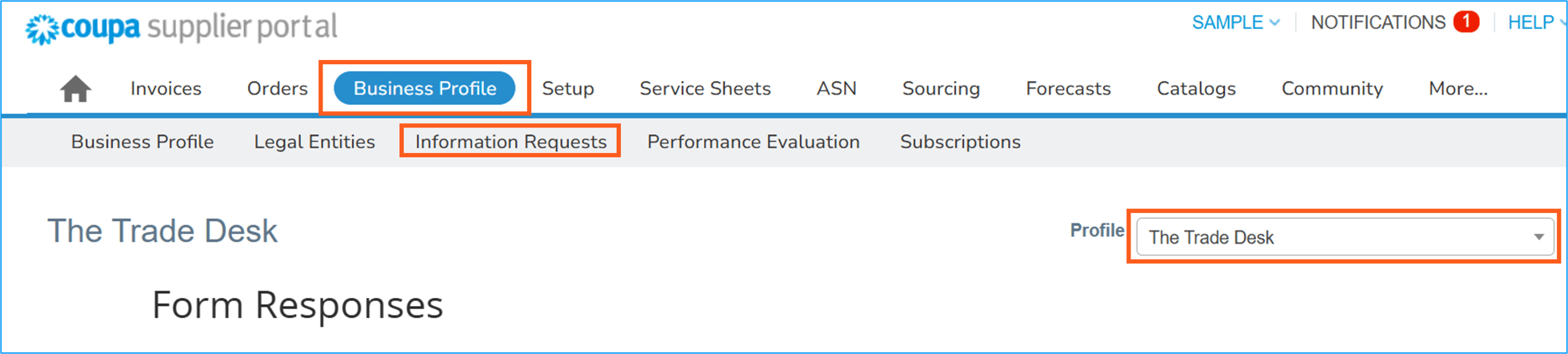
If you do not see The Trade Desk as an option, please contact The Trade Desk buyer for additional support.
When you open the form, some details may be pre-filled, but you can make necessary corrections.
Please visit our Supplier Information Management Guide for step-by-step instructions on filling out our information request form.
Next, complete the Supplier Information Management Application Form to transact with The Trade Desk.